A centred wordmark with three links on its left and three on its right. The Collections item on the left drops a full-width panel of four 3:2 photo tiles with captions and a View all link. The phone menu is a bottom sheet that rises with a handle over a scrim. Every panel stays in the markup and is toggled with CSS.
A sticky bar with the wordmark in the centre, three links on its left and three on its right. The Collections item on the left drops a full-width panel of four photo tiles with captions and a View all link; on a phone the menu is a bottom sheet that rises with a handle and carries the same tiles in a two-column grid.
Upgrade to Pro
Pro blocks install through the shadcn CLI with your license key and ship their full source. Docs and live previews stay open to everyone, so you can read every block's details first.
Swap YOUR_EMAIL and YOUR_KEY for the email and license key on your account. Find your license key on your account page.
Radix flavor
npx shadcn add "https://beste.dev/r/navbar85?email=YOUR_EMAIL&license_key=YOUR_KEY"Base UI flavor
npx shadcn add "https://beste.dev/r-base/navbar85?email=YOUR_EMAIL&license_key=YOUR_KEY"This installs the block to components/beste/block/navbar85.tsx; it uses no shadcn primitives, only lucide-react icons.
The installed file exports navbar85Demo alongside the block: the exact props behind the preview above. Spread it to get a working navbar in one line.
import { Navbar85, navbar85Demo } from "@/components/beste/block/navbar85";

export default function Page() {
  return <Navbar85 {...navbar85Demo} />;
}
Then replace the demo with your own props. Written out, a trimmed setup looks like this:
import { Navbar85 } from "@/components/beste/block/navbar85";

export default function Page() {
  return (
    <Navbar85
      brand="Kestrel"
      mega={{
        label: "Collections",
        heading: "Shop the autumn collections",
        tiles: [
          {
            title: "New arrivals",
            description: "Fresh in this week.",
            href: "/new",
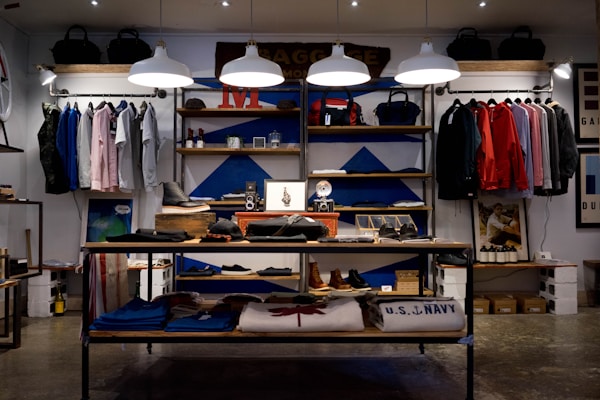
            image: { src: "https://images.unsplash.com/photo-1441986300917-64674bd600d8?w=600&h=400&fit=crop", alt: "A bright shop interior" },
          },
          {
            title: "Watches",
            description: "Everyday pieces with a steel case.",
            href: "/watches",
            image: { src: "https://images.unsplash.com/photo-1523275335684-37898b6baf30?w=600&h=400&fit=crop", alt: "A white wristwatch" },
          },
        ],
        viewAll: { label: "View all collections", href: "/collections" },
      }}
      leftLinks={[
        { label: "Women", href: "/women" },
        { label: "Men", href: "/men" },
      ]}
      rightLinks={[
        { label: "Journal", href: "/journal" },
        { label: "Account", href: "/account" },
      ]}
      labels={{ open: "Open menu", close: "Close menu" }}
    />
  );
}| Prop | Type | Default | Description |
|---|---|---|---|
brand | string | – | Wordmark in the centre of the bar |
mega | Mega | – | The first left item, which opens the photo tile panel |
leftLinks | NavItem[] | [] | Plain links after the mega item, left of the wordmark |
rightLinks | NavItem[] | [] | Plain links right of the wordmark |
labels | { open?: string; close?: string } | {} | Accessible names for the mobile toggle, the sheet handle and its close button |
className | string | – | Extra classes for the outer <header> |
type Mega = {
  label: string;
  heading: string;
  tiles: CollectionTile[];
  viewAll: NavItem;
};

type CollectionTile = {
  title: string;
  description: string;
  href: string;
  image: { src: string; alt: string };
};

type NavItem = {
  label: string;
  href: string;
};aria-hidden and inert, which keeps their links out of the tab order.aria-expanded and aria-controls; the panel closes when the pointer leaves the header, when a plain link is hovered, on Escape and on a pointer down outside the header.translate-y-full, capped at 85vh with its own scroll. The handle, the close icon, a tap on the scrim and Escape all close it, and it locks body scroll while open.